Building My Second Brain on OpenClaw (Part 11)
Welcome back to another Articles by Victoria, the place where I randomly write things I'm curious about.
For 10 parts of this series, my agent has been getting steadily better at everything around my content creation. It reminds me about deadlines. It generates the cover images. It schedules the social posts. It even generates my Techybara Explains series for ragTech.
But one fine day, I thought to myself: What about my personal blog and newsletter?
Every single time, the actual publishing looked like this: me, at my laptop, opening the repo, editing a markdown file by hand, running a build, and manually walking through a newsletter wizard in a terminal. The most personal part of my content creation had a completely manual process.
Part 11 is about closing that gap. My blog went from "a Next.js site I edit locally and push changes" to a system with an editor that works from my phone, scheduled publishing with no cron job, image uploads that land in Cloudinary, a newsletter that refuses to send until the post is provably live, and an MCP server that lets my ZenBot drive all of it without being able to do the things I would not want it to do.
Here's the parts in case you need to catch up:
- Part 1: Getting Started with OpenClaw
- Part 2: Connecting Telegram and Google Workspace
- Part 3: Daily Automations and Task Management
- Part 4: Advanced Workflows - RAG, LinkedIn, and Content Generation
- Part 5: Security and Monitoring
- Part 6: System Design and Best Practices
- Part 7: Building the Memory Wiki
- Part 8: Personal Automation Systems - Learning, Reflection, and Creative Production
- Part 9: Buffer Integration and Content Repurposing
- Part 10: Session Bloat and Why My Cron Jobs Started Timing Out
The Vision, And The Groundwork It Needed
My blog is 255 markdown files in a git repo, rendered by Next.js 14 and deployed on Netlify. There is no CMS and no content API. I like it that way. The posts are just files, git is the history, and nothing can hold my writing hostage.
What I wanted was simple to describe and annoying to build:
I should be able to say "start a draft on this" and ZenBot can draft something quickly from Telegram and onto my drafts repoI should be able to edit my drafts wherever I am, and then tell ZenBot "publish it Monday morning and create newsletter broadcast for it". ZenBot would schedule and do exactly that without me on a laptop or terminal.
The blog could not support any of that yet. Editing worked on exactly 1 machine, because saving a draft wrote to the local filesystem and publishing shelled out to git commands. Netlify's filesystem is read only and has no git credentials, so none of it could run anywhere except my desk.
There was A LOT of groundwork to do first, and I will keep this part short. Here's what I changed:
1. Drafts live on their own branch
This is the change that made the rest possible, and it is the one I would recommend to anyone running a git based blog.
Drafts moved out of the filesystem and into GitHub:
main      content/<series>/<slug>.md    published posts only
drafts    drafts/<series>/<slug>.md     work in progress only
drafts is an orphan branch. It shares no history and no files with main. That 1 choice buys 3 things at once:
- The 2 branches cannot diverge and never need merging. There is no "my draft branch is 40 commits behind" ritual.
- Netlify only builds the production branch, so saving a draft costs no build minutes and triggers no deploy. That matters a lot when your editor is a phone and you save every 30 seconds.
- The deployed site contains zero unpublished content. Even a total authentication bypass on the live site cannot read a draft off disk, because the draft is not there.
3 Things Can Now Edit The Same File
With a phone, a laptop and an agent all able to write, edit conflicts stopped being theoretical.
Every read returns the git blob SHA. The editor sends it back on save. A stale SHA returns a 409 instead of overwriting:
{
  "error": "conflict",
  "message": "The file changed since it was loaded…"
}
The rule I wrote into the agent's instructions, in bold, is: do not retry blindly. A 409 means somebody else changed the file. Re-read, re-apply your change to the new content, then write again. A blind retry destroys the other edit, and "the other edit" is sometimes me, on my phone, in a taxi.
2. Scheduled publishing, without git commit
Part 10 of this series was about my cron jobs quietly timing out. So when I got to scheduled publishing, I had a very strong opinion: do not add a cron job.
Here is the analogy I keep in my head.
The obvious design is a night guard. You write the post, and you leave instructions for someone to come at 9:30 on Monday and put it on the shelf. That someone is a scheduled function or a GitHub Action. It has to wake up, still have permission, still work, and successfully push a change. If the guard oversleeps, the shelf stays empty and you find out from a reader.
What I built is a timed display case. The post is already on the shelf, fully arranged, from the moment I schedule it. The case just has a sign that says "not before Monday 9:30," and the glass checks the clock every time somebody walks past. Nothing has to happen at 9:30. There is no guard to oversleep.
In practice that is 1 rule, checked on every request:
visible = not a draft AND (no publishAt OR publishAt is in the past)
A scheduled post gets committed to main exactly once, already marked published, with a future publishAt. Because pages refresh on that 60 second window from the groundwork, the post simply starts appearing when the clock passes it. No state changes, so there is nothing to fail, time out, or need watching.
3 details that took actual thought for my case:
1) It checks publishAt, not the post's date. Several of my older posts carry a datePublished that reads as a future date, so gating on that would have retroactively unpublished real posts. A post with no publishAt at all is simply live, which left all 250 existing posts untouched.
2) A broken publishAt means visible, not hidden. If the field cannot be parsed, the post stays up and the problem gets logged. The opposite choice would let 1 corrupt character silently remove a published post from the site, the sitemap and the feed.
3) Bare times are Singapore time. "2026-08-04 09:30" means 09:30 SGT, because that is how scheduling actually gets spoken about in my house. Every response echoes both the local and UTC rendering, and the agent reads them back to me, so a timezone mistake gets caught in the conversation instead of 8 hours later.
3. The drafts editor, directly on the site
With the plumbing done, the editor at /drafts became something I actually enjoy using.
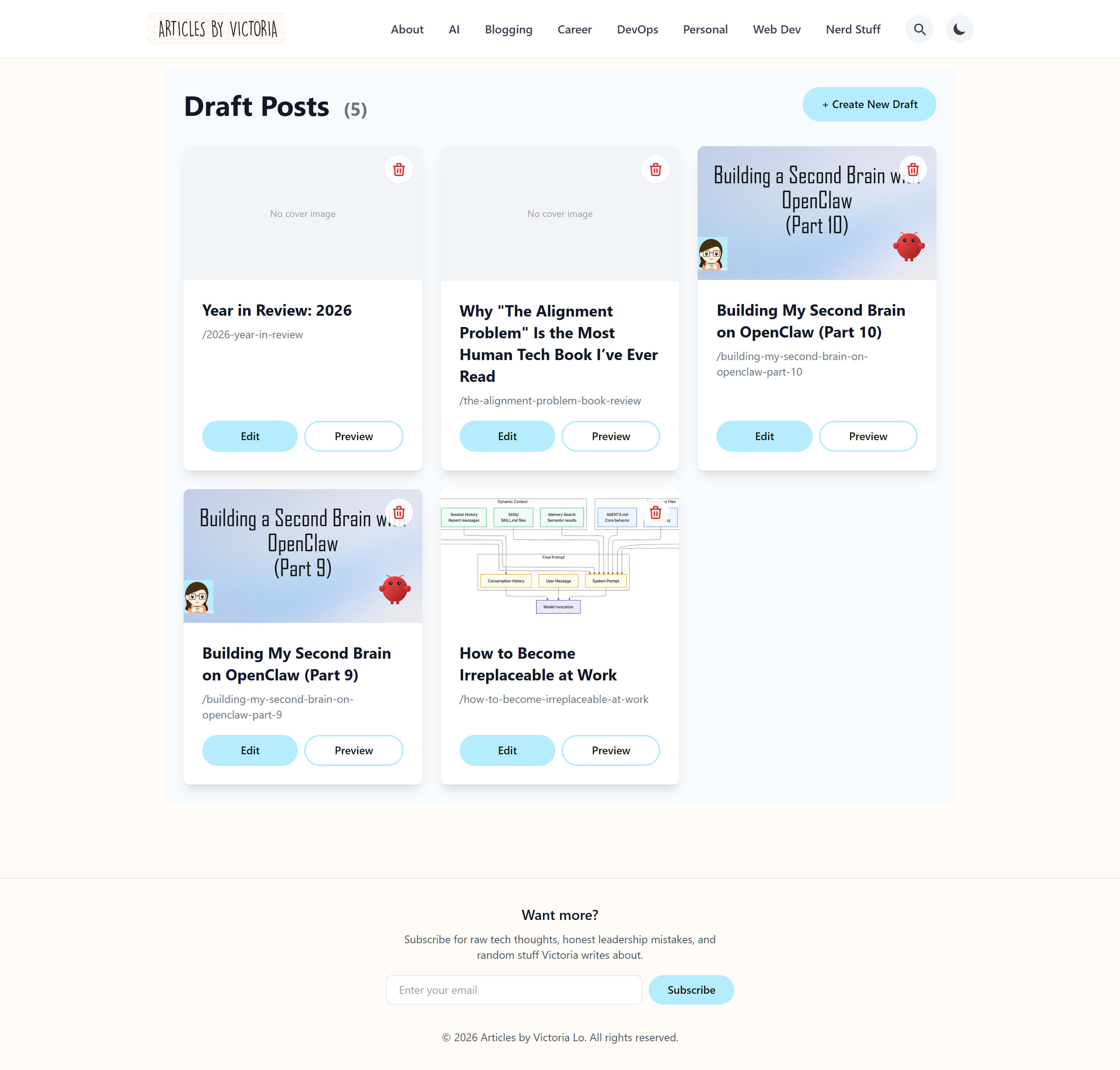
Every card here lives on the
draftsbranch. None of it exists in the deployed site.
It has 3 modes over the same file:
| Mode | What it is |
|---|---|
| Markdown | The raw file, frontmatter included. Byte for byte what gets saved. |
| Visual | The rendered article, editable in place, saved back as markdown as I type. |
| Preview | The rendered article, read only. |
Markdown mode is the default, deliberately. It is the only 1 of the 3 that cannot reformat the file, and it shows the frontmatter exactly as it will be saved. Those fields decide whether a post is visible and whether it has already been mailed, so I want to see them plainly.
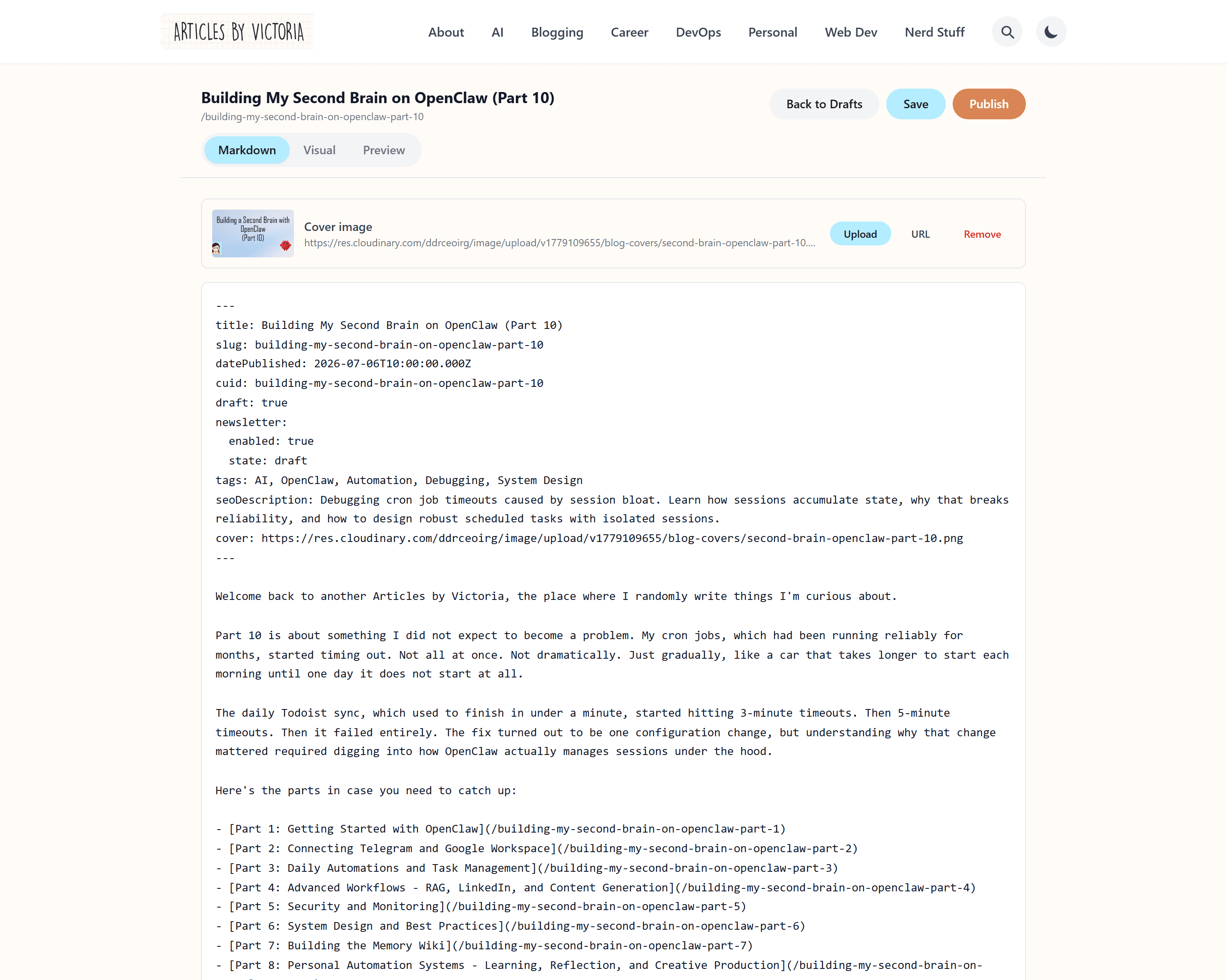
The cover row sits above the file. Upload stores the image, then writes the
cover:field for you.
All 3 modes render through the same markdown pipeline as the published page, so what I see is the real styling rather than an approximation. The previous editor had its own miniature converter that handled headings, bold and links only. Blockquotes, lists, tables and rules all showed up as literal markdown in something labelled "preview," which is worse than having no preview at all.
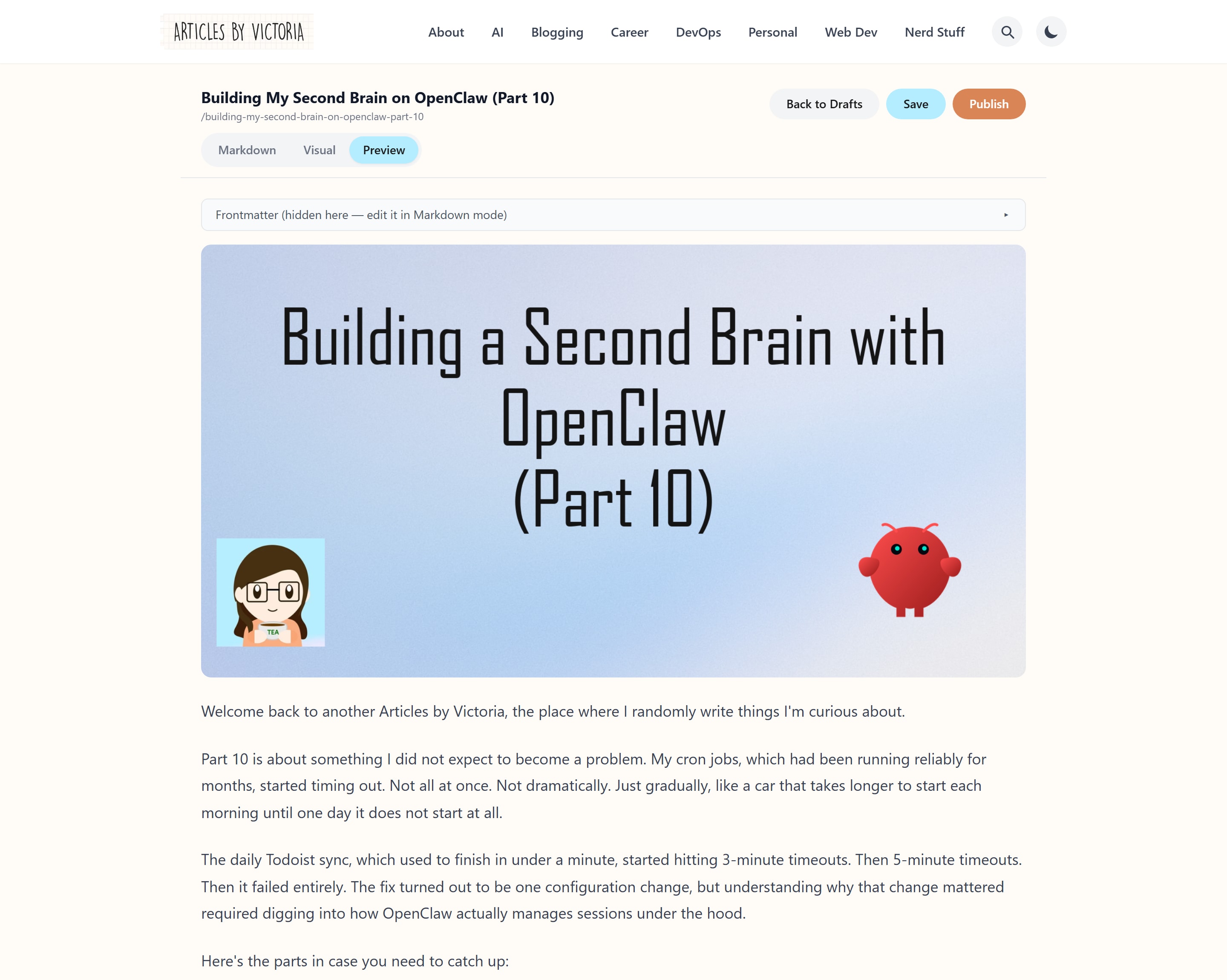
Preview mode collapses the frontmatter and renders the rest exactly as the published page will.
Images
Image handling used to be: upload to Cloudinary's web UI, copy the URL, paste it into the markdown. Every single time.
Now there are 3 paths and they all do the same thing. Drag an image onto the editor, paste a screenshot from the clipboard, or click the 🖼 button in the toolbar. All 3 upload and insert , with the alt text seeded from the filename. There is also a cover row with Upload, URL and Remove that writes the frontmatter field for me.
The upload is signed on the server. The browser posts the file to the site, and the server signs it with the Cloudinary secret, so nothing about the account ever reaches the browser. The alternative, an unsigned upload preset, would put the account details in the JavaScript bundle where anyone could read them and upload into my account.
Uploads land in a folder per post, so the media library is organised rather than being 1 flat pile of Screenshot 2026-07-14 at 11.42.03.png. Every returned URL also gets f_auto,q_auto added to it, which means a 4 MB PNG screenshot is delivered as a much smaller WebP or AVIF, chosen at request time based on what the reader's browser supports, without me re-uploading anything.
2 limits are enforced on the server rather than in the UI: 10 MB per image, and PNG, JPEG, GIF, WebP or AVIF only. SVG is deliberately refused, because it can carry script and these URLs end up in published posts read by other people.
Every screenshot in this article went through that path, which felt like the right way to test it.
4. Newsletter guardrails: Will not send mails until the post is live
The newsletter is the only action in this whole system that cannot be undone. A post can be reverted with 1 git command. An email that has landed in over 1000 inboxes is out there forever.
So sending is 2 separate steps, not 1 call with a flag:
create-draft  →  builds the broadcast, returns a review link, sends nothing
schedule      →  reaches Resend only after every check passes
Scheduling runs 4 checks: the broadcast matches what the post recorded, the post is published rather than a draft, the post is genuinely live, and ZenBot only sends if I have approved it.
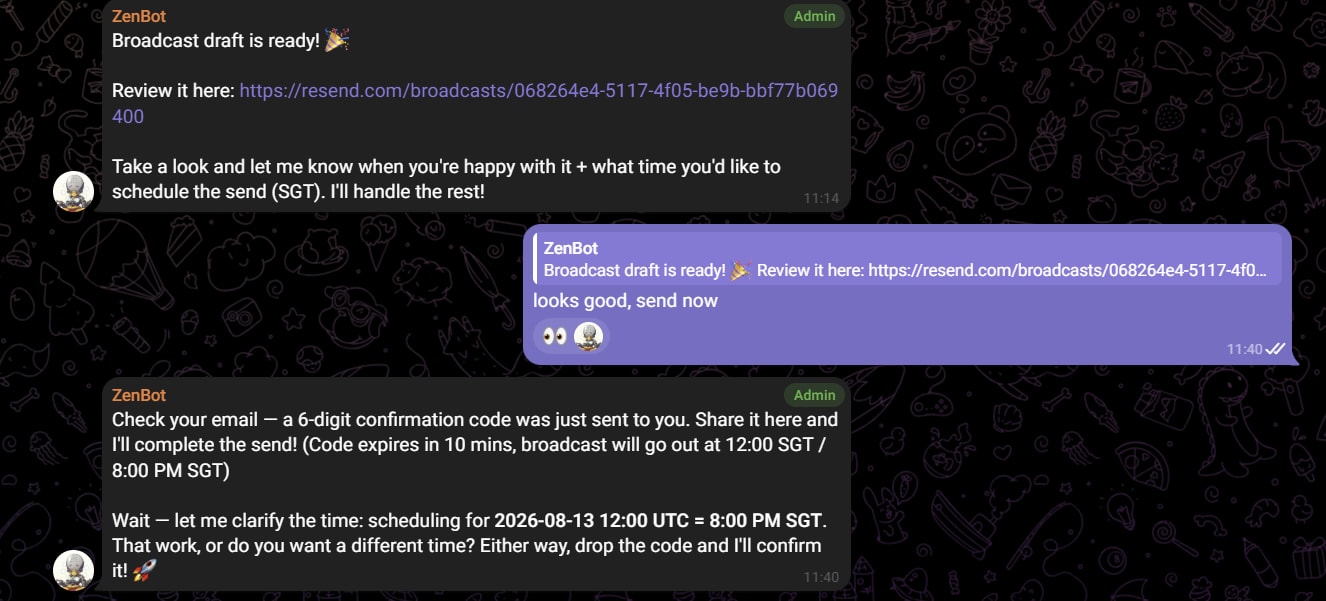
ZenBot sends me an OTP before it can send out the newsletter, ensuring a human-in-the-loop and not giving the agent full control to make an irreversible mistake.
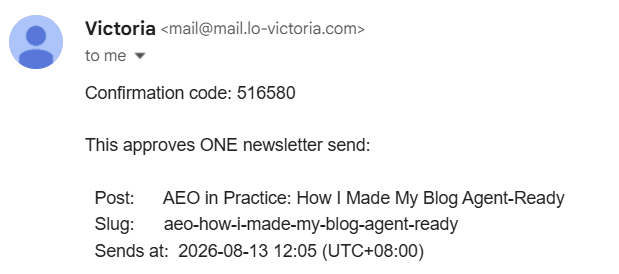
I will have to send ZenBot the OTP to really confirm it to send out the newsletter.
The MCP Server: Safety Lives In The Tool List
Up to this point my ZenBot was driving all of this through hand written HTTP calls that I dictated. That works, but it means the safety of the system depends on the agent following instructions.
The MCP server wraps the same API as 9 tools:
| Tool | Notes |
|---|---|
list_drafts |
title, slug, series, word count |
read_draft |
full markdown plus the SHA needed to save |
save_draft |
requires a fresh SHA, 409 on a stale one |
create_draft |
new draft with full frontmatter |
publish_post |
now, or at a scheduled time |
check_post_live |
read only, safe to call freely |
newsletter_create_broadcast |
step 1, returns a review link, sends nothing |
newsletter_send_test |
allowlisted recipients only |
newsletter_schedule |
step 2, gated, needs a OTP code from me |
The design principle I care about most: the safety is in which tools exist, not in what the agent is told. Instructions are exactly what a compromised agent stops following.
- There is no send now tool. Broadcasts can only be scheduled, and a scheduled broadcast can be cancelled. An immediate send cannot be recalled.
- Creating a broadcast and scheduling it are separate tools, so the review step exists by construction rather than by convention. The agent cannot skip it by being confident.
save_drafttakes named fields, so the published flag cannot be flipped through the editing path at all. Publishing is its own tool with its own permission level.
What a typical draft to published post looks like
Here's the overall flow I've built for my end-to-end blogging/publishing pipeline with ZenBot.
1. The draft gets created. I message the agent in Telegram, usually something like "start a draft on X for the AI series." It creates the file on the drafts branch with the frontmatter filled in.
The same thing is 2 fields when I do it myself:
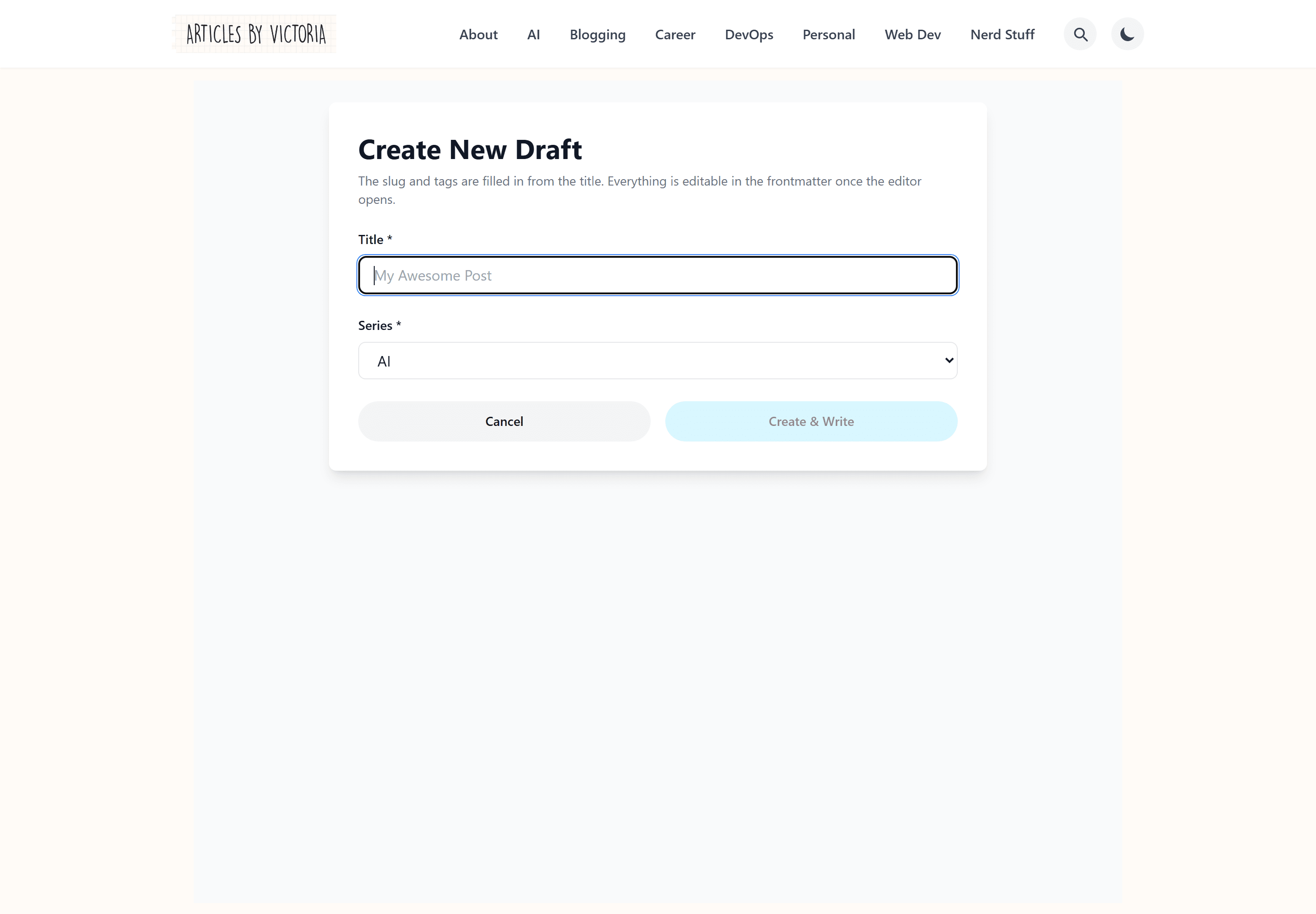
1 place decides what a fresh draft looks like, so the agent and I get identical frontmatter.
2. I write. Sometimes in the editor on my laptop, sometimes on my phone on the MRT, sometimes by dictating notes and letting the agent assemble a skeleton I then rewrite. Every save is a commit, and none of the 3 surfaces can silently clobber another.
3. The cover gets generated. The blog image generator from Part 8 turns 1 command into a finished 1600x840 PNG and uploads it straight to Cloudinary. Body images get dragged or pasted into the editor.
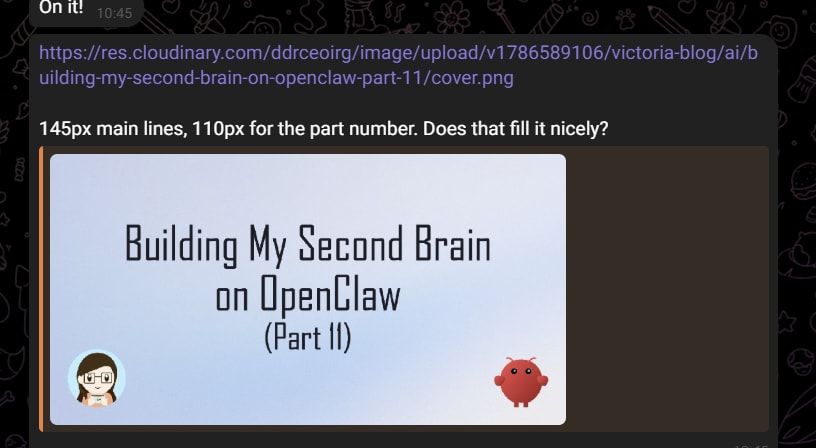
4. It gets scheduled. "Publish part 11 on Monday at 9:30am." The agent schedules it and reads both timestamp renderings back to me. The post is committed once, hidden until Monday, and nothing runs in between.
5. The newsletter gets built. After the post is live, the agent creates the broadcast and sends me a review link. Nothing has been mailed. I read it in Resend like any subscriber would.
6. The newsletter gets scheduled. The agent tries, gets told a code is required, and a code arrives in my personal inbox. I read it out in Telegram. The agent tries again and the broadcast is scheduled, cancellable right up until it goes.
What I'm still working on
Honestly, working on this has been so fulfilling as I'm getting closer to my ideal blogging experience with my ZenBot. But I still have a few things I want to address in the future. This section of the article is almost like my backlog and I'm exposing it to my you, my readers.
Newsletter state lives in the post's frontmatter, and that costs a build. Every stamp of "drafted," "scheduled" or "sent" is a commit to main, and therefore a Netlify build. I considered moving it to a database. I kept it in frontmatter because it means git remains the single record of what was mailed and when, which is worth more to me than roughly 24 minutes of build time a month.
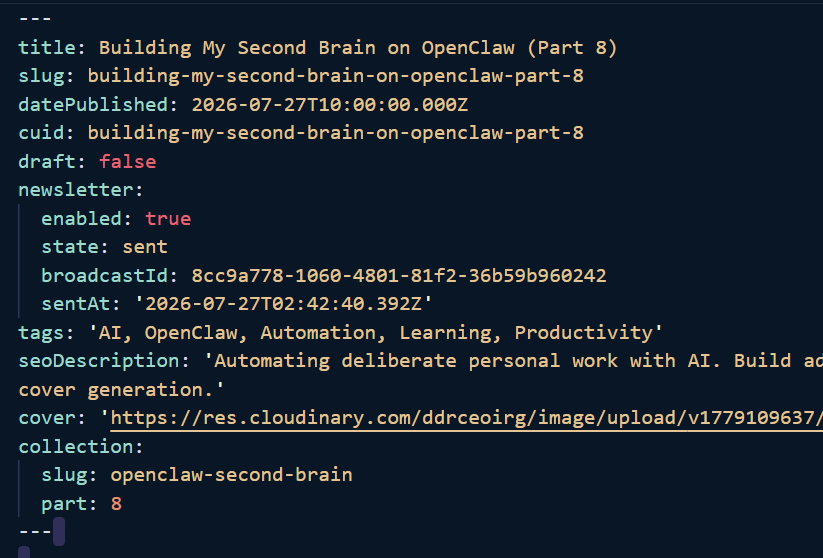
Sample of my frontmatter above
There is no preview deploy for drafts. The orphan branch gives me isolation but costs me the ability to see a draft rendered at a real URL on a real device. The editor's preview mode is the substitute, and it is close but not identical.
Search is title only. The whole title index ships in 1 response and filtering happens in the browser, so typing costs nothing: no request per keystroke, no debounce, no spinner between characters.
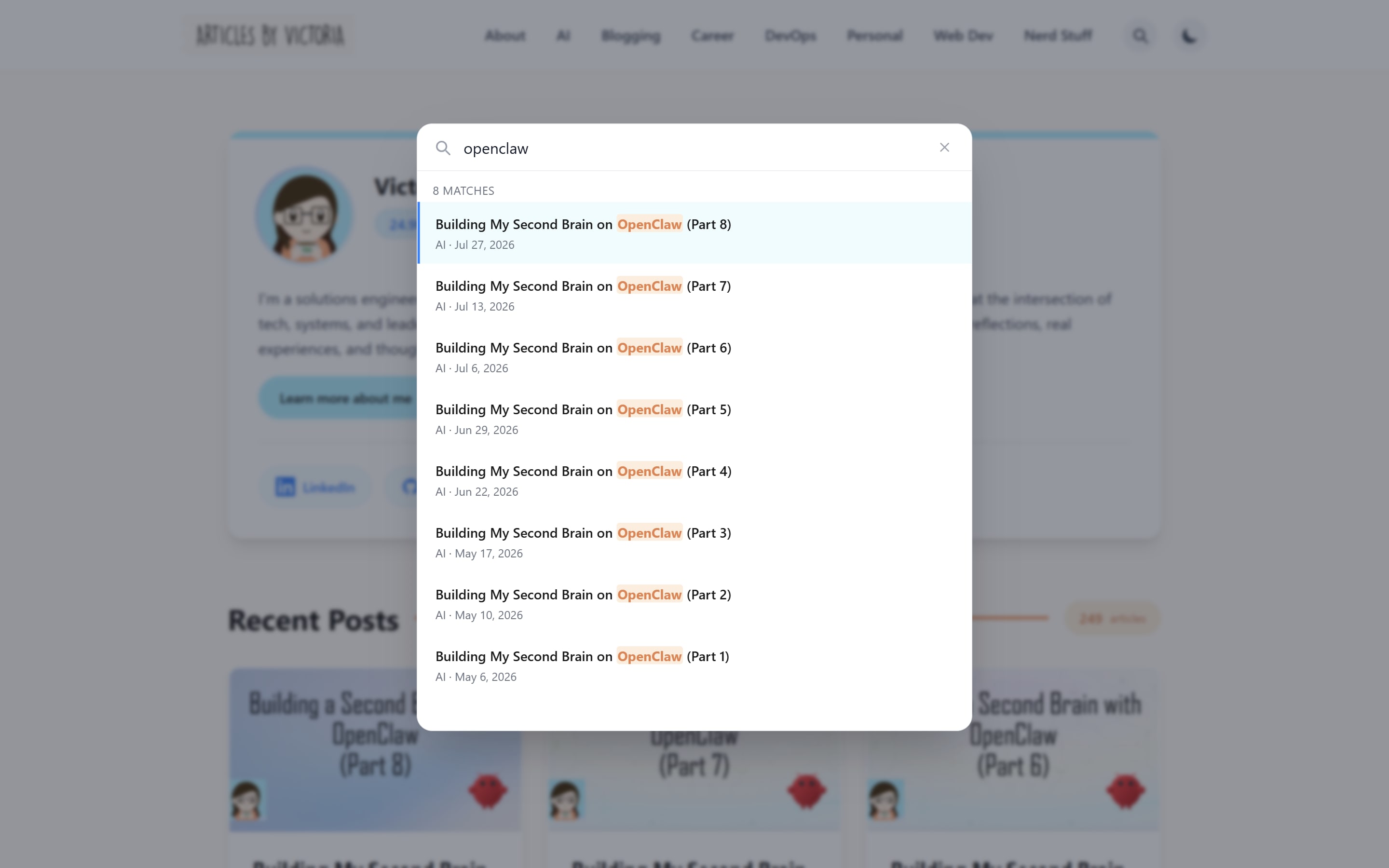
8 matches, filtered in the browser, with no request sent while typing.
But it will not find you a post by a phrase in the body, and eventually it should.
Conclusion
The blog went from a site I could only edit on 1 laptop to a system where drafts live on their own branch, scheduled posts go live because the clock passed rather than because a job ran, images upload straight from a drag or a paste, the newsletter proves a post is genuinely live before it will mail anyone, and an MCP server that lets my agent drive all of it.
If I had to keep 1 idea from the whole build, it is this: when you give an agent access to something public, put the safety in the shape of the system, not in the instructions. No send now tool is a stronger guarantee than "please do not send without asking." A separate publish permission is stronger than "be careful with drafts." A code in a mailbox the agent cannot open is stronger than every other check on that path combined, because it is the only one that does not depend on the agent's cooperation.
Instructions are what a compromised agent stops following. Structure is what it cannot argue with.
Thanks for reading! I am curious to know your own personal thoughts and experiences on this topic! Feel free to connect, send me an email (my inbox is always open) or let me know in the comments! Cheers!