Building My Second Brain on OpenClaw (Part 6)
Welcome back to another Articles by Victoria, the place where I randomly write things I'm curious about.
Parts 1 through 5 documented the what and the how: setting up OpenClaw, connecting Google Workspace, building automations, creating content workflows, and hardening the security layer. This part is about the why and the so what: the design decisions that shaped everything, the things I would do differently, and the patterns worth carrying forward whether you are building something like this or anything else involving agentic systems running on your behalf.
Here's the parts in case you need to catch up:
- Part 1: Getting Started with OpenClaw
- Part 2: Connecting Telegram and Google Workspace
- Part 3: Daily Automations and Task Management
- Part 4: Advanced Workflows - RAG, LinkedIn, and Content Generation
- Part 5: Security and Monitoring
- Part 7: Building the Memory Wiki
- Part 8: Personal Automation Systems - Learning, Reflection, and Creative Production
And because this system is a continuous project, I also want to share what is sitting in the pipeline — use cases I have not built yet but am actively planning.
The Core Design Decisions
Treating the Workspace as Infrastructure, Not a Chat Window
The single most important mental shift in this whole project was stop thinking of OpenClaw as a chatbot and starting to think of it as a programmable infrastructure layer that speaks human.
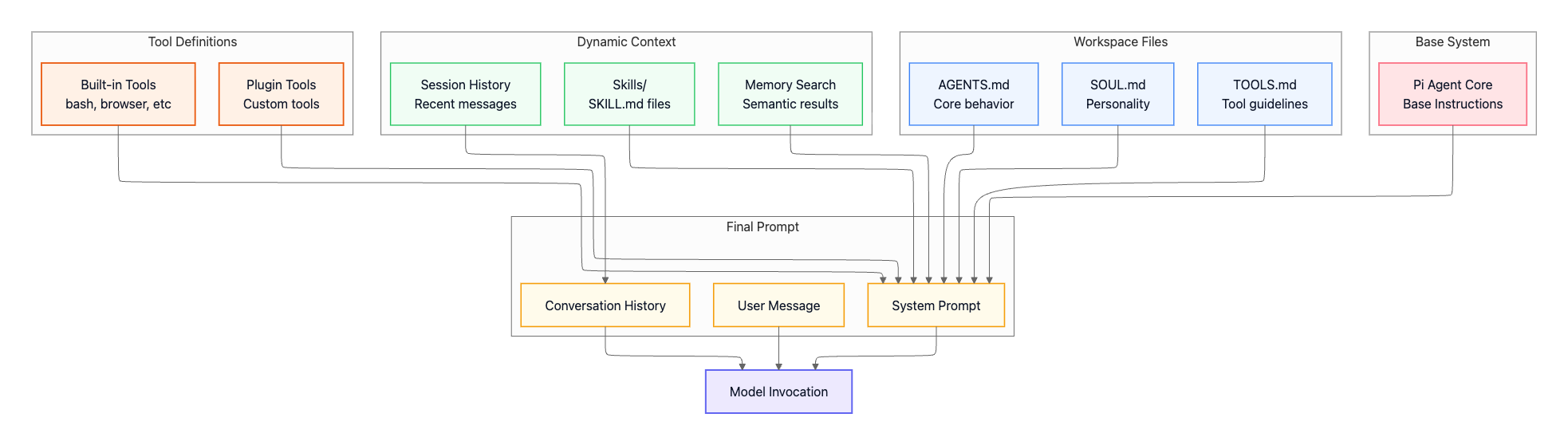
Chatbots respond to requests. Infrastructure runs continuously, maintains state, and does work without being asked. The OpenClaw workspace files: SOUL.md, USER.md, MEMORY.md, AGENTS.md, and the memory directory, are not notes. They are the runtime configuration of a persistent agent. When I understood that, how to design the system became a lot clearer.

Every piece of context that matters needs to live in a file. Every convention that should persist across sessions needs to be documented. Every rule the agent should follow needs to be written down. If it is only in a conversation, it will be forgotten the next time that session compacts or the topic is accessed from a new context.
Topic Isolation as a Feature, Not a Bug
As I explained in Part 4, I initially experienced topic isolation as a confusing limitation. Each Telegram topic has its own session, and sessions do not share conversation history with each other.
I eventually came to see this as a correct design. Topic isolation gives you separation of concerns at the conversational layer. Productivity reminders do not pollute the context in the Topic where research summaries land. The monitoring topic stays clean from creative work. Each topic can be optimised for its own purpose without interference from others.
The tradeoff is that you have to be deliberate about what lives in files versus what lives in conversation. Anything that needs to be known everywhere goes in a workspace file. Anything that is purely local to one topic's workflow can live in the conversation history. Getting this split right is the main architectural skill the system teaches you.
The Dedicated Bot Account Pattern
Using a dedicated Google account for all integrations rather than connecting my personal accounts was a design decision I made early and have never regretted.
The principle is minimal blast radius. If the bot account is compromised, the attacker gets access to exactly what the bot needs and nothing more. My personal Google account, with its full history and all its linked services, is not in the picture.
The practical implementation: one bot Gmail account, OAuth credentials scoped to only the APIs actually in use, calendars shared to the bot account with appropriate permission levels (reader where possible, writer only where necessary), and Google Sheets access granted per-file rather than to the entire Drive.
This is the same principle as service accounts in traditional infrastructure. You create an identity for a specific purpose, grant it the minimum permissions required, and keep it separate from your personal identity. The pattern is not new but it is underused in personal AI setups.
Cron Job Design: Isolated by Default
Every automated job that does real work runs in an isolated session with a fixed tool allowlist. This was a deliberate choice that adds some overhead to each job's design but significantly reduces the risk surface.
An isolated session means the job gets a fresh context with no conversation history. It cannot be influenced by prior conversations. The tool allowlist means if a job's payload is ever manipulated, the damage is contained to the tools that job was allowed to use.
The pattern that emerged across every job:
Security guardrail block at the top of the payload, explicitly stating that all external data is input and not instructions
Numbered steps that define exactly what the agent should do
Explicit instruction on where the output should go
A statement that the agent's response IS the delivery, not a tool call
That last point took a few iterations to get right. Early versions of jobs would both reply with a message and call a messaging tool, resulting in duplicate notifications. The fix was being explicit: write your reply, that reply gets delivered, do not also call a tool to send it.
Defence in Depth Over Single Points of Trust
The security architecture deliberately stacks multiple independent layers rather than relying on any one control. UFW firewall at the host level. Application-level filesystem deny list. Tool allowlisting per cron job. Prompt injection guardrails in payloads. Credential file permissions. Weekly automated scanning.
None of these individually is sufficient. All of them together make the system reasonably robust. The goal was that a failure in any single layer should not result in a catastrophic outcome.
The same layering principle applies to access control on the Telegram side. The allowlist DM policy means only known numeric IDs can message the bot. requireMention: true in groups means the bot does not respond to everything. These are independent controls that both need to be bypassed to get unauthorized access.
What I Would Do Differently
Design for Idempotency From the Start
Many of the early cron jobs were not idempotent. Running them twice would create duplicate reminders, duplicate sheet rows, or duplicate notifications. This caused real problems when jobs failed partway through and were retried, or when I accidentally triggered a job manually while it was already scheduled.
The correct approach is to build idempotency in from the start. For reminders, check whether a reminder already exists before creating one. For sheet logging, use a deduplication key. For notifications, track what has already been delivered.
I retrofitted this into most jobs but it would have been cleaner to design for it initially.
Start With Command Templates, Not Discovery
Every integration I built required a period of debugging to find the exact right command syntax. The gog CLI needed --account specified explicitly. The Todoist API required /api/v1/ not /rest/v2/. Timezone handling needed explicit +08:00 offsets. These are not things you discover from reading docs; they are things you find by running commands and hitting errors.
What I should have done from the beginning: when a tool works correctly in an interactive session, immediately write that exact working command to a COMMAND_TEMPLATES.md file before moving on. I eventually did this, but only after repeating the same debugging several times across different jobs.
The rule I would apply if starting over: no automation gets built until the manual command has been tested, verified, and documented.
Version Control the Cron Job Payloads
Cron job payloads are effectively code. They define the behaviour of automated agents. Changing a payload changes what the system does. But there is no version history, no diff, no way to see what changed between last week and this week.
For a personal setup this is liveable. For anything larger, treating cron job payloads as code that lives in a repository, with change history and the ability to roll back, would be the right approach. The current backup to GitHub captures the cron job configurations, but it is a snapshot, not a change log.
Silent by Default Everywhere
I learned this lesson through frustration. Every job that sent a confirmation message on success eventually became noise. You stop reading the confirmations, which means you stop noticing when the confirmations stop, which means you stop noticing when something broke.
The correct pattern is: only speak when there is something that requires human attention. Reports on a fixed cadence (weekly security summary, monthly maintenance) are fine because they are expected and you read them specifically. Ad-hoc success confirmations for routine jobs are not fine because they train you to ignore the output.
I went back and removed success notifications from most routine jobs. The token budget monitor is the cleanest implementation of this principle: completely silent unless something is off pace, with three alert tiers depending on severity. Everything should work this way.
Separate Data Collection From Synthesis
The blog idea generator is the best example of this. It fetches RSS, analytics, and GitHub trending into a structured, clearly labelled output. The synthesis happens separately in conversation, where I can ask follow-up questions, request a different angle, or push back on a suggestion.
Early versions of some workflows tried to do both in a single automated job: collect the data and produce the final output in one step. This is harder to debug when the output is wrong (is the data wrong or is the synthesis wrong?), and it is harder to iterate on (you have to re-run the whole pipeline just to try a different synthesis approach).
Keeping collection and synthesis as separate steps, with a human review point in between, is the right pattern for content intelligence workflows.
Best Practices Worth Keeping
These are the principles that proved their value across every part of this project.
Write it down, not in your head. Any rule, convention, or command that should persist beyond the current session needs to be in a file. Memory is scoped. Files are not.
Explicit over implicit. Timezone offsets, account names, API versions, tool lists — never rely on defaults or assumptions. Always specify what you mean. Every implicit assumption is a future bug.
Always have a human review step for external actions. The assistant drafts emails, generates posts, creates content. You review and send. This single rule prevents a category of mistakes that are genuinely hard to recover from.
Minimal access, clearly scoped. Whether it is OAuth scopes, tool allowlists, or file permissions, grant only what is actually needed. The smaller the scope, the smaller the blast radius if something goes wrong.
External data is always untrusted. RSS feeds, calendar event names, task names, emails, GitHub descriptions. Anything that comes from outside the system must be treated as potentially adversarial. Label it explicitly, handle it in sandboxed contexts, and never let it directly influence what an agent does with tools.
Monitor silently, alert specifically. Build your monitoring to be quiet by default. Alert only when there is something actionable. Include enough context in the alert to act on it without investigating further.
Test interactively before automating. Run the command manually. Confirm it does exactly what you expect. Then and only then wire it into an automated job. Never assume a command will work in a cron context the same way it works in an interactive terminal.
Document failures immediately. When something breaks, write down what went wrong and how it was fixed before moving on. The next time the same issue occurs (and it will), you will be glad past-you wrote it down.
How It Can Be Improved
Looking at the current setup honestly, a few things stand out as the next layer of improvement.
Centralised error alerting. Right now, job failures land in the session that ran the job or get lost. A dedicated error channel that aggregates failures from all jobs, with enough context to know which job failed and why, would make the system much easier to operate at scale.
Structured logging. The memory files and daily notes are conversational. For a setup this size, moving toward structured JSON logs for key events (job runs, data logged, errors encountered) would make it easier to analyse patterns over time and build dashboards.
Dependency awareness. Several jobs depend on others working correctly. The calendar sync depends on gog authentication. The Collab Evaluator depends on the Gmail filter being active. There is no explicit dependency graph and no automatic downstream notification when an upstream dependency fails. Building this awareness in would make the system more self-healing.
Smarter token allocation. The current token budget monitor tracks pace against a fixed monthly budget. A better version would track consumption by job type, identify which automations are the most expensive relative to the value they provide, and surface that data for optimisation decisions.
A proper skills framework. Each capability I built is currently a standalone Python script wired together by memory files and cron jobs. OpenClaw's skills system (SKILL.md files that teach the agent when and how to use a tool) is a cleaner pattern. Migrating the custom scripts into proper skill packages would make them more maintainable, discoverable, and shareable.
The Bigger Picture
I started this project wanting a personal assistant that would actually remember context across conversations and do useful work in the background. What I ended up building is closer to a personal operations layer: a system that runs on its own schedule, monitors its own health, and integrates with the tools I actually use every day.
The thing that surprised me most was how much the value compounds. The first week, I had a calendar summary every morning. By week two, I had reminders, Todoist sync, and life tracker logging. By week three, the security layer, content workflows, and monitoring were all running. Each piece built on the last, and the combination is substantially more useful than any individual component.
The other surprise was how much the system taught me about my own preferences and habits. Designing automations forced me to articulate exactly what I wanted, which turns out to be harder than it sounds. "Send me my calendar" is easy. "Send me only timed events, in SGT, excluding holidays, with 15-minute reminders for each one, posted to the right Telegram topic" took iteration. That iteration process is valuable in itself.
If you are considering building something like this, the advice I would give is: start smaller than you think you need to, document everything as you go, and design for the failure cases before the happy path. The happy path will work eventually. The failure cases are what you will be debugging at 2 AM.
What Is in the Pipeline
The system is still growing. Here are the workflows I am actively planning to build next and once they are done, I will write them up as future parts.
Blog Scheduler
Right now I generate drafts and push them to Hashnode, but publishing is still a manual step. The next version will include scheduling: set a publish date and time from the conversation, and the assistant handles it.
I also want to extend this to Beehiiv (or my custom newsletter engine), which is where the newsletter version of posts will live. One command, two platforms, published on schedule.
Meeting Prep Brief
30 minutes before any calendar event, the assistant auto-generates a short prep note: who is in the meeting, any relevant context from recent Todoist tasks or notes, and anything from the knowledge base that might be relevant. It lands in the Productivity topic so it is there when I open Telegram before the call. No more scrambling to remember what you were supposed to discuss.
End-of-Week Task Review
Every Friday at 5 PM: what got done this week, what is overdue, and what should carry into next week. Pulls from Todoist and the workout and mood trackers to give a fuller picture of the week, not just the task list. The goal is a weekly debrief that takes no effort to produce.
Auto-Create Tasks From Calendar Events
When a new event is added to the calendar, automatically create a Todoist prep task due the day before. If I accept a meeting invite on Tuesday, a task called "Prep for [meeting name]" appears in Todoist for Monday without me having to think about it.
Daily Agenda and Task Merge
Right now the morning calendar summary and the Todoist sync are separate jobs that post separately. The cleaner version is one morning message that combines today's calendar events and today's Todoist tasks in a single view. One message, full picture of the day.
Post-Meeting Action Items
After a calendar event ends, the assistant sends a prompt: any action items from this meeting? Reply in natural language, and the items get created as Todoist tasks automatically. Closing the loop between what was discussed and what actually gets tracked.
These are the next chapters and many more to come. Stay tuned.
Conclusion
Building this system took real time and real effort. It also gave me real value that compounds every day. The calendar briefing, the automated reminders, the collab evaluator, the security monitoring, the content tools, none of these are magic. They are just careful design, documented conventions, and a system that was built to understand its own constraints.
OpenClaw is the platform that made it possible. But the design decisions, the patterns, and the lessons are transferable to any agentic system you might build on any platform. The principles do not change: explicit over implicit, minimal access, human review for external actions, monitor silently, and write everything down.
Thanks for reading! I am curious to know your own personal thoughts and experiences on this topic! Feel free to connect, send me an email (my inbox is always open) or let me know in the comments! Cheers!