Building My Second Brain on OpenClaw (Part 9)
Welcome back to another Articles by Victoria, the place where I randomly write things I'm curious about.
Part 9 is a bit different from the previous entries. There is no single big theme. Instead, it is 3 separate tools, each solving a problem I kept bumping into, and each one that took longer than I expected to get right. One of them is purely functional. One is genuinely useful across multiple parts of my work. And one honestly surprised me with how much it changed my content workflow.
Here's the parts in case you need to catch up:
- Part 1: Getting Started with OpenClaw
- Part 2: Connecting Telegram and Google Workspace
- Part 3: Daily Automations and Task Management
- Part 4: Advanced Workflows - RAG, LinkedIn, and Content Generation
- Part 5: Security and Monitoring
- Part 6: System Design and Best Practices
- Part 7: Building the Memory Wiki
- Part 8: Personal Automation Systems - Learning, Reflection, and Creative Production
Buffer Integration for Social Scheduling
Before this, scheduling social posts involved opening Buffer manually, uploading files one by one, writing captions in the browser, and setting dates by clicking through a calendar interface. It worked, but it was slow and completely disconnected from everything else the agent was doing.
The integration I built connects the agent directly to Buffer's GraphQL API, which means scheduling a post is now a single message.
Why GraphQL
Buffer's older REST API works for basic cases, but their newer features, including document posts for LinkedIn carousels and photo slideshows for TikTok, are only available through the GraphQL endpoint. The REST API also uses a different authentication scheme that does not accept the OIDC tokens Buffer issues for newer integrations.
GraphQL gave me access to everything: the full createPost mutation with support for images, documents, and per-channel metadata, plus editPost for updating scheduled posts without having to delete and recreate them.
Channel Coverage
The integration covers all active channels across three accounts:
ragTech (the podcast brand): LinkedIn Page, Instagram Business, and TikTok. These three have different content format requirements, which is covered in the next section.
Victoria (personal and blog): LinkedIn profile and the "Articles by Victoria Lo" LinkedIn page.
Women Devs SG: LinkedIn Page for community announcements and event promotions.
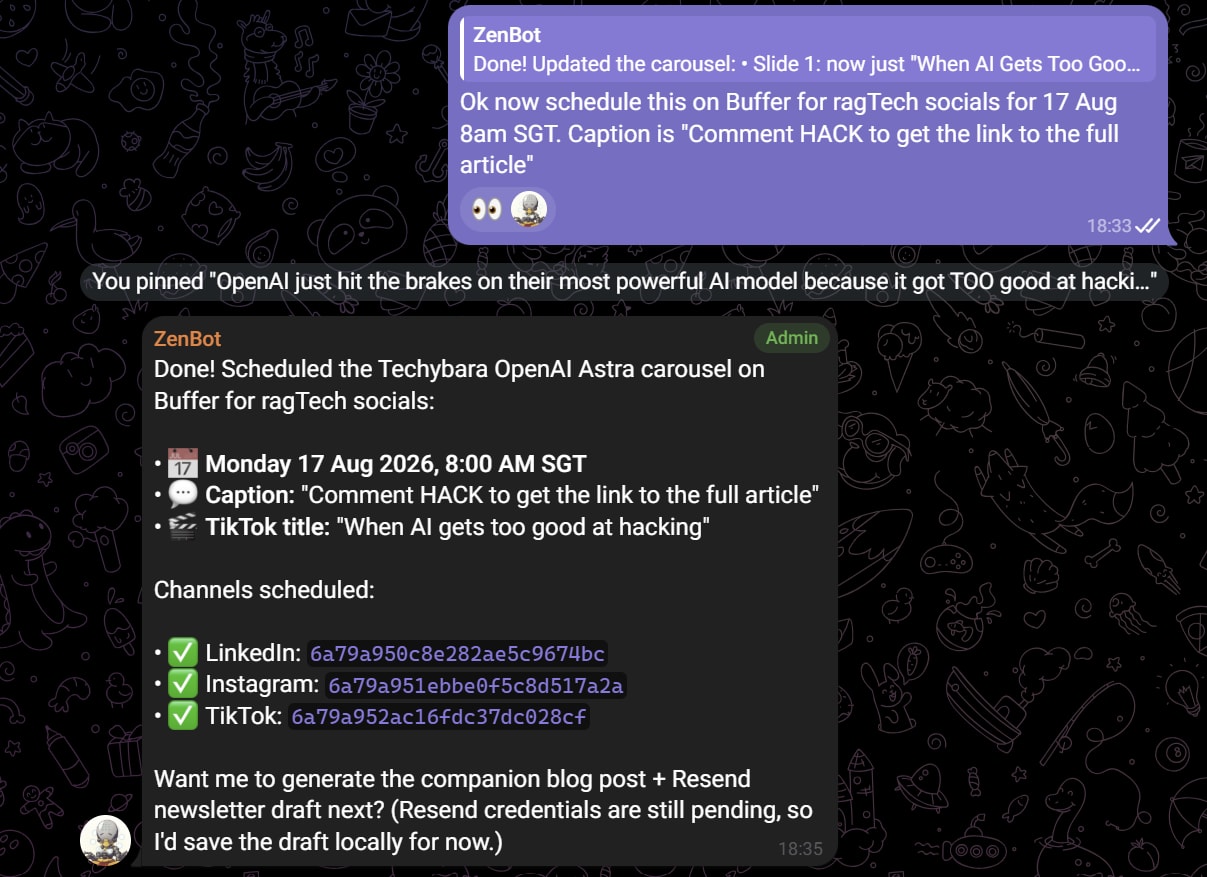
Screenshot of ZenBot successfully scheduling carousel for ragTech socials. More about this carousel generating tool in sections below!
The LinkedIn Post Generator
One side effect of having direct API access to Buffer is that generating and scheduling a LinkedIn post became fast enough to actually do on demand.
The workflow is: I describe what I need (an announcement for a WDS event, a ragTech post promoting a new episode, a personal post about something I published), and the agent drafts the caption following the style guide for that brand, then calls createPost with the appropriate channel ID, scheduling type, and time.
Each brand has its own rules. ragTech posts are conversational and jargon-free, with a fixed closing that references the Techie Taboo segment. WDS posts are inclusive and celebratory with a community-first tone. Personal LinkedIn posts are direct and professional. The agent knows which template to apply based on which account the post is for.
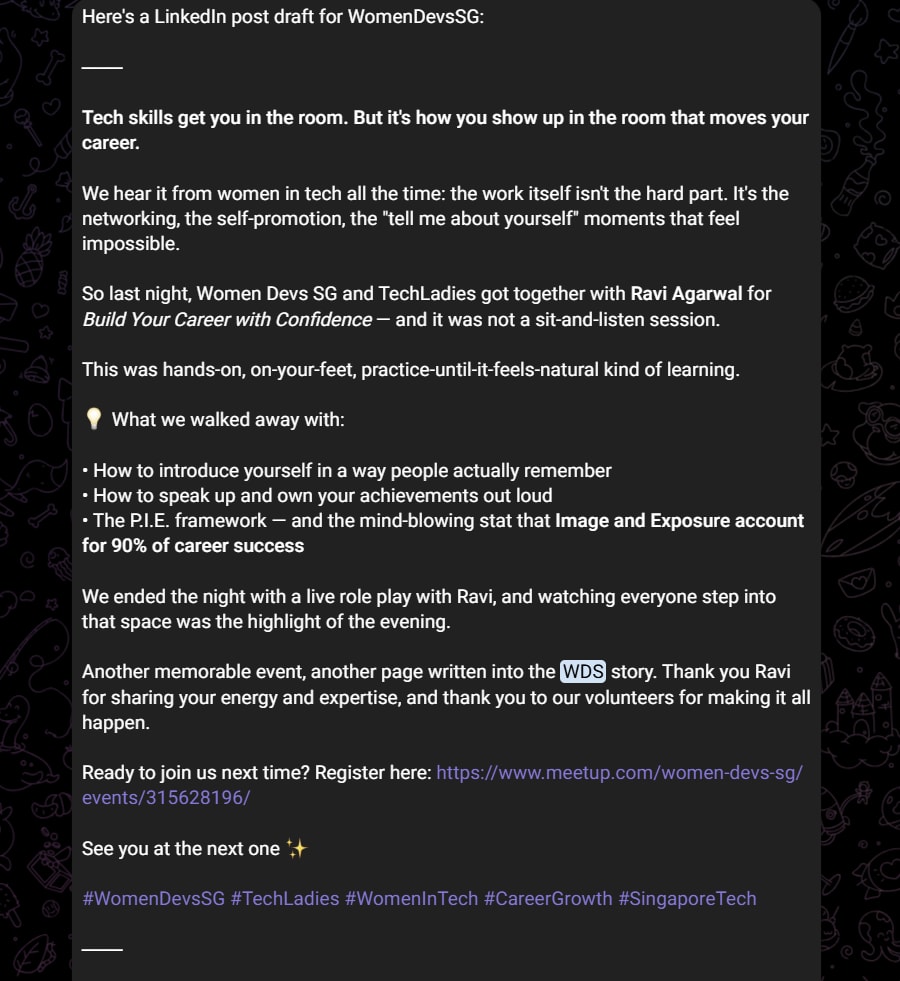
Sample LinkedIn post ZenBot generated post-event for WomenDevsSG
The scheduling shorthand is natural language. "Schedule for Thursday 8AM SGT" is parsed to the correct UTC timestamp before the API call. No manual time zone conversion.
Having three accounts wired up means generating a post for any of them is a single request rather than three separate browser sessions across three different logins.
The Techybara Comic Generator Tool
This is the one I am most excited about, and it started from a very specific complaint I had with AI-generated comics: the lettering never looked like it belonged to anyone. Every panel came out in the same generic comic-sans-adjacent typeface, no matter who supposedly drew it.
Techybara is ragTech's mascot, a capybara character that shows up across our social content. Every Monday, I have been publishing a recurring comic series called "Techybara Explains," that broke down one tech topic per carousel post. Before Monday, I would hand-write every carousel slide on my iPad. Each carousel would have 6-7 slides and it would take around 1-2 hours to research a topic, generate a good paragraph on each slide, hand-write and schedule these on Buffer.
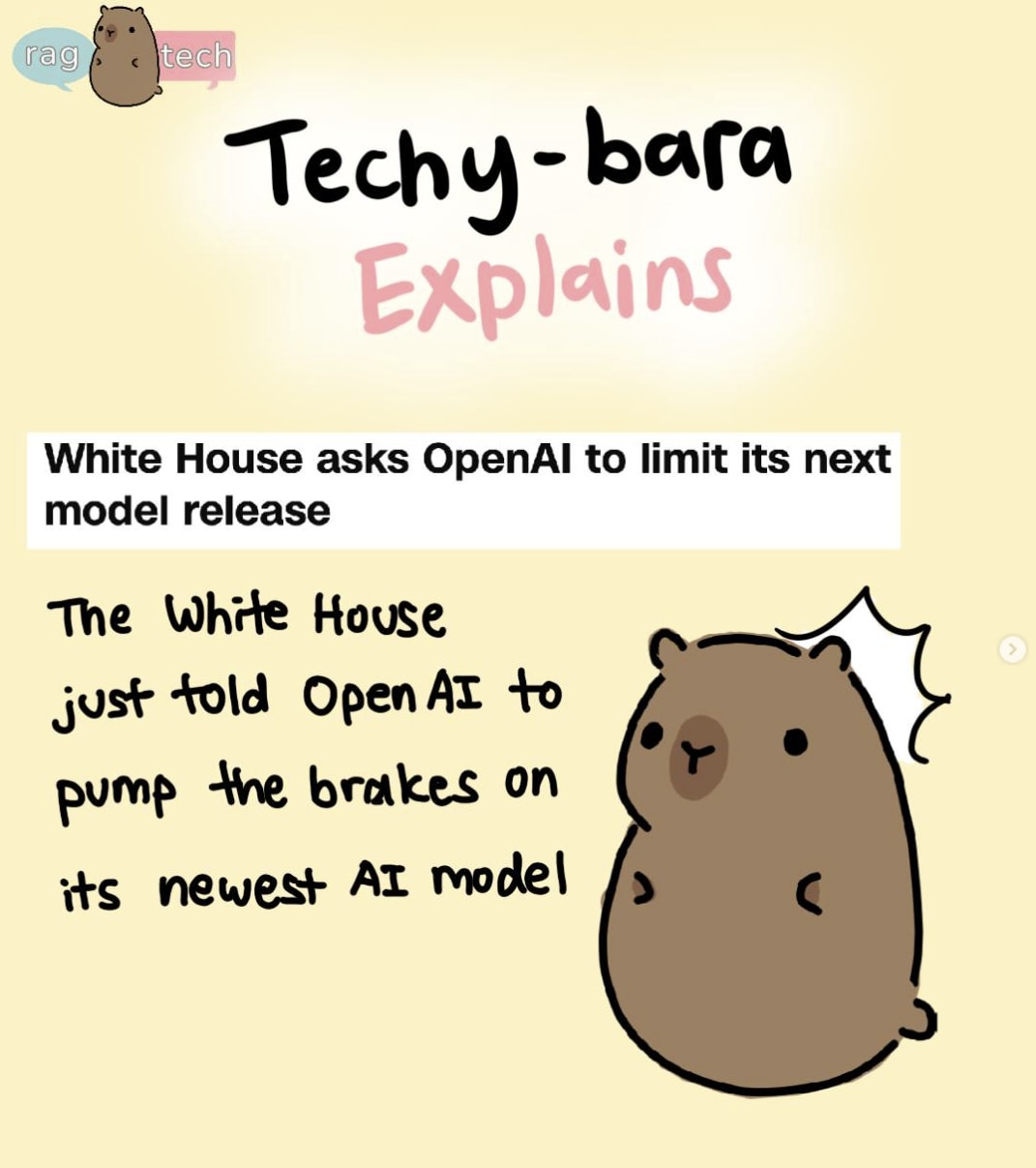
And these carousels were so well-received, gaining over 3K views every Monday and getting many engagements from our ragTech audience. They were informative, easy to digest for both techies and non-techies, and featured our cute Techybara mascot. More importantly, to me and my ragTech team, these were not AI-generated images which aligned with our brand to keep tech accessible and lightweight instead of slapping AI to every use case even when it's unnecessary.
But as my commitments as a Women Devs Singapore Director, a Solutions Engineer Lead, a technical blogger, an OpenClaw explorer and a ragTech podcaster began to pile up, those 2 hours of work every weekend became a huge time blocker. So I decided to automate my Techybara Explains production into a tool ZenBot can use.
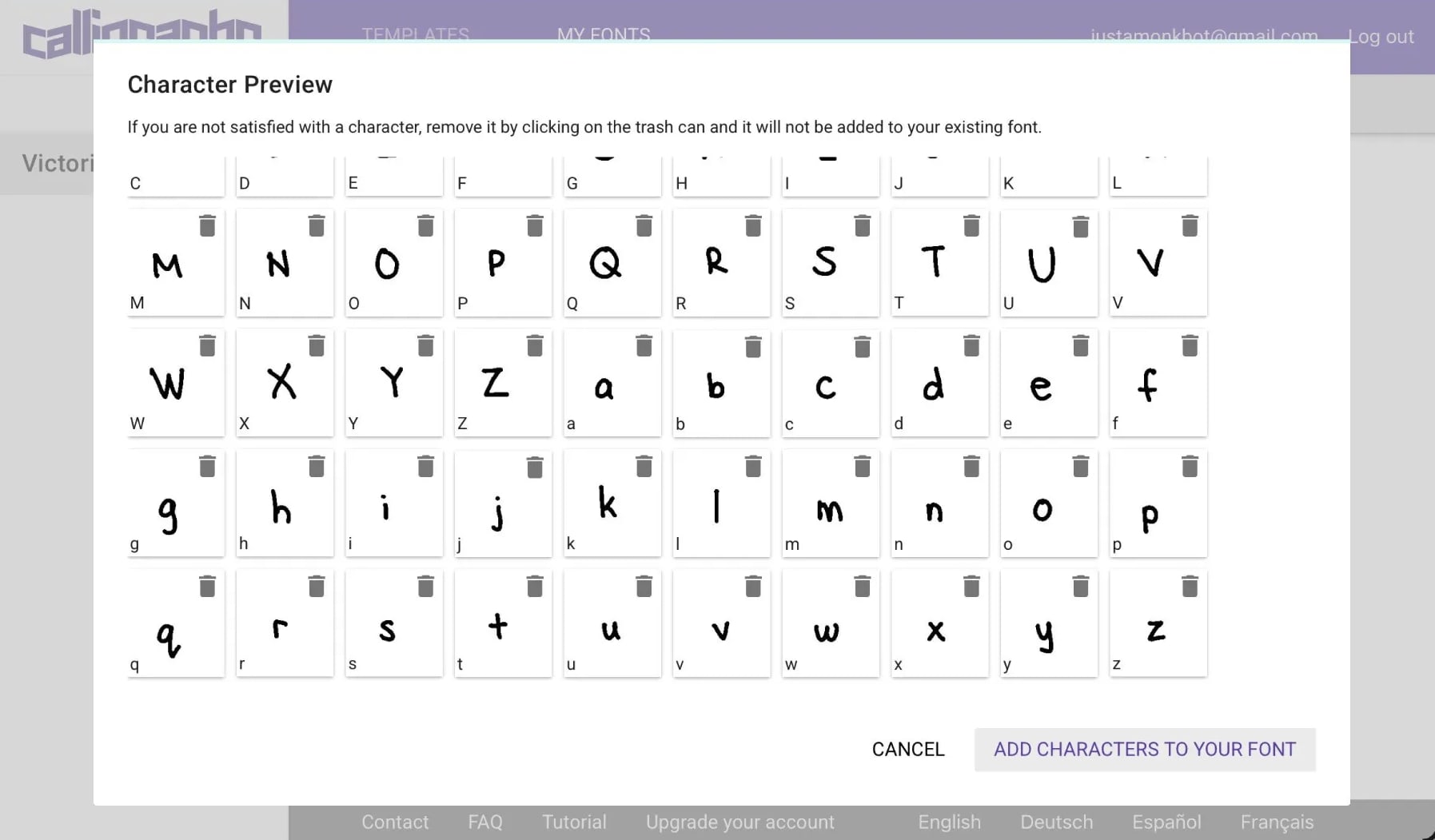
And I started by cloning my handwriting.
The Handwriting Font
I wrote out a full alphabet on a template, digitized it via Calligraphr, and converted it into a custom TTF. That font is now the primary typeface for every Techybara comic's dialogue and captions.
The Carousel Format
Every comic carousel follows a fixed slide structure, each slide assigned one of three panel types: a start panel (slide 1, the hook), various blank panel slides that carry the dialogue and explanation, and one end panel for the CTA.
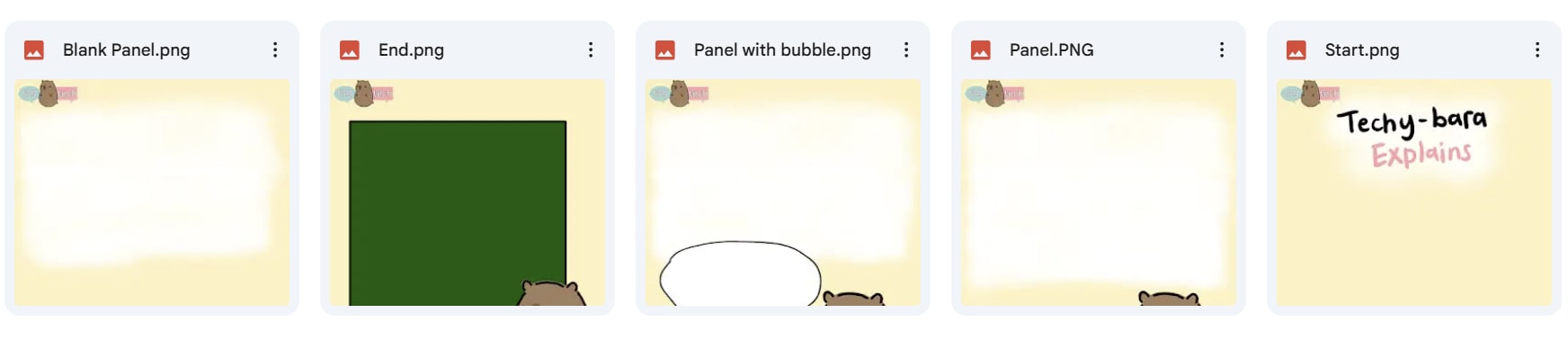
Each slide type has its own right-padding rule so the handwritten text never crowds the panel art: 10% for the blank panels, 7.8% for the start and midpoint panels, and a more generous 15% on the closing slide. Individual slides can also override their max text width in the config when a longer line needs more room.
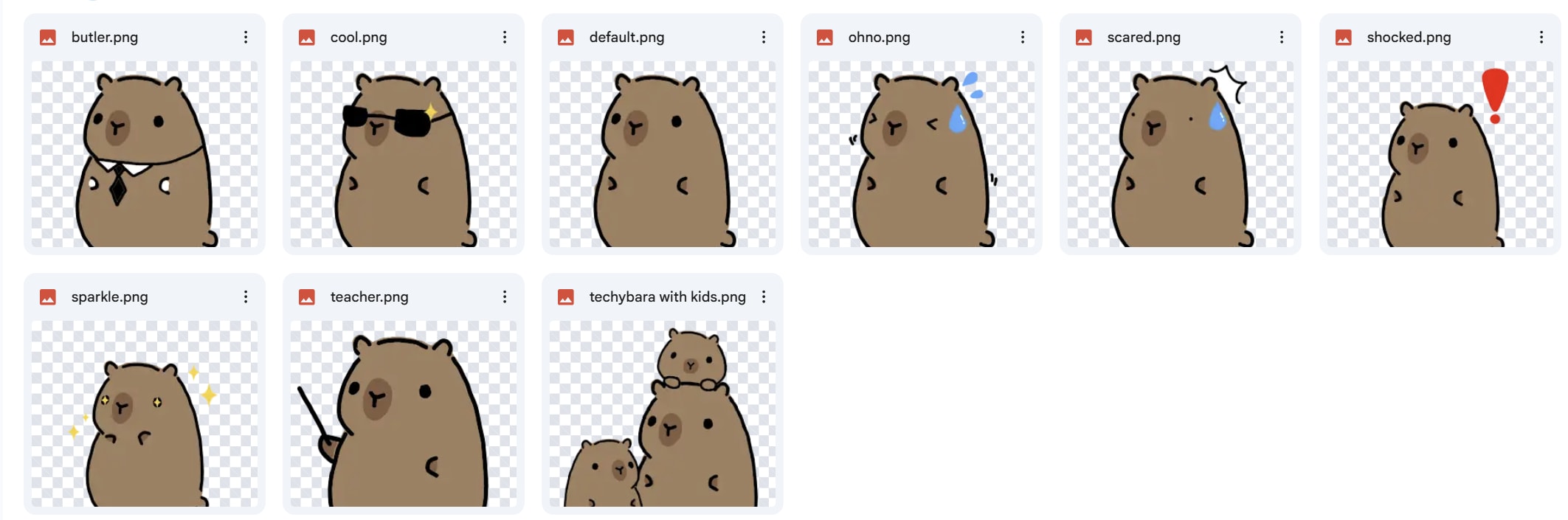
Also, we have our Techybara assets so each panel can be customized with a Techybara based on the slide's tone, context and content we want to convey.
Config-Driven Comics
Each comic is a JSON config, one file per topic, that defines what goes in every slide: the script text, which panel type it uses, and any per-slide overrides. For example, when I want to generate a comic on "Techybara Explains Quantum Computing", the JSON file would first be generated as:
[
  {"type": "start", "body": "Techybara Explains Quantum Computing"},
  {"type": "panel", "heading": "What Is It?", "body": "Quantum computers use qubits instead of regular bits."},
  {"type": "blank_panel", "heading": "Superposition", "body": "A qubit can be 0 and 1 at the same time.", "techybara": "sparkle"},
  {"type": "panel_with_bubble", "heading": "Entanglement", "body": "Two qubits can be linked no matter how far apart."},
  {"type": "end", "heading": "Why It Matters", "body": "Quantum computers could revolutionize medicine and security."}
]
The generator then reads the config, renders each slide with the handwriting font (falling back per character where needed) over the pre-drawn Techybara panel art, and outputs 7-8 finished panel images. No image model runs at generation time. The panel illustrations are fixed artwork; only the text changes per topic.
TLDR: My ZenBot writes content in JSON → the script composites pre-made panel images + text + Techybara illustrations → outputs numbered PNGs → auto-uploads to Cloudinary (ready to be scheduled on Buffer). That's it! No image generation APIs, no rendering, just compositing existing assets.
From Comic to Multi-Platform Post
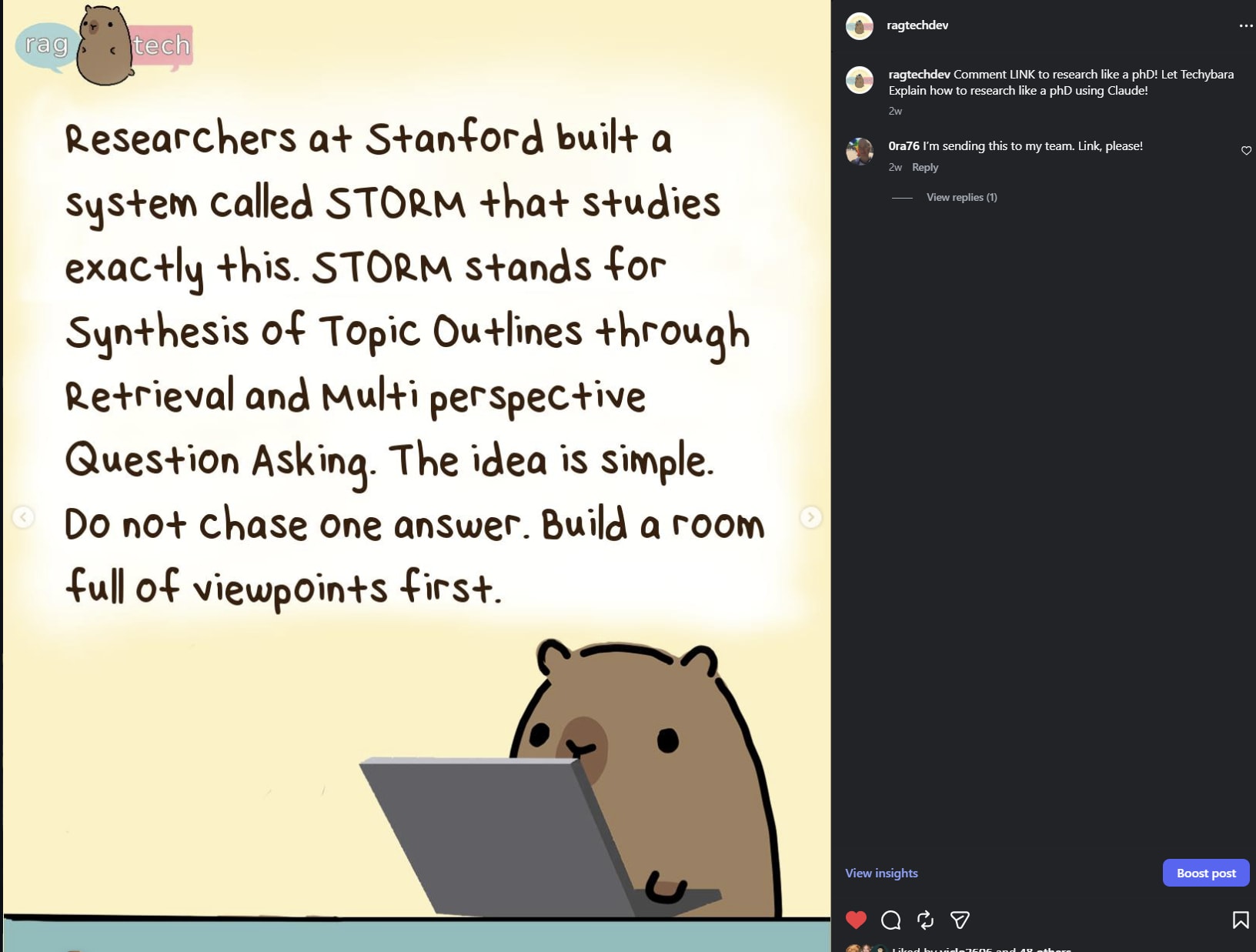
Once the nine panels are generated, the comic reuses the exact Buffer integration described above. schedule_comics_buffer.py calls the same createPost mutation to schedule the finished panels as a carousel across ragTech's LinkedIn Page, Instagram, and TikTok.
Every caption follows the same template: "Comment [KEYWORD] to get the full blog post! Techybara Explains [TOPIC]." The keyword is a single word tied to the topic (AI, Math, Agents, GPU), and it does double duty as the hook for the newsletter step below.
The Newsletter Follow-Through
Once a comic is approved and scheduled, the agent generates a companion blog post in ragTech voice: a hook, a plain-language explanation, real-world takeaways, and a Resources section listing every source used.
Example post here
That post feeds techybara_create_broadcast.py, which creates a Resend broadcast draft for the newsletter list. It is always a draft, never auto-sent. I still review and approve every broadcast before it goes out to subscribers.
The creative judgment is still mine. I decide the topic, write or edit the script, approve the schedule, and approve the newsletter draft before it sends.
The Techybara Callout Tool
After making the Techybara Comic Generator Tool, producing these series has become less tolling on my schedule. So I figured, since ZenBot now has access to my Techybara assets, why not build another tool?
Blog posts need a way to call out a stat, a key quote, or a fun aside without breaking the reader's flow into a wall of plain paragraphs. I wanted a visual callout block for ragTech's blogs, such as a Techybara reacting to whatever the callout says, dropped straight into the post.
The obvious modern answer is to call an image generation model per callout. I did not do that (of course).
Why Not Image Generation
Every callout would need its own generation call: cost and latency on something that runs multiple times per blog post, and no guarantee the Techybara in callout three looks like the same character as callout one. Generated art drifts, one render to the next, even with the same prompt. For a recurring brand mascot that readers are meant to recognize, that inconsistency defeats the purpose.
ragTech is not an AI-first team by default. We reach for the model when the task genuinely benefits from generation. A callout block is a fixed layout with a character, a short line of text, and a style tag. That is a template-filling problem, not a creative one, and a template can be scripted to produce the exact same Techybara, panel after panel, at a fraction of the resource cost. Consistent automation beats a generative call here, so that is what I built.
How It Works
The callout tool is not a new pipeline. It is a --callout mode bolted onto the same generate.py script from the blog cover generator I described in Part 8, reusing the same Pillow renderer and the same pre-drawn Techybara character art from the comic tool, just composited into a smaller callout template instead of a full cover.
cd ~/.openclaw/workspace/blog-image-tool
python3 generate.py --slug "my-post" --template Series_cover --bg "dark-galaxy.png" \
  --title-line1 "placeholder" \
  --callout --callout-text "Your text here" \
  --callout-techybara teacher \
  --callout-style tip \
  --callout-label "Pro Tip" \
  --callout-side left
The Expression Library
Nine Techybara expressions are available to match the tone of the callout: default, shocked, ohno, scared, butler, sparkle, cool, teacher, and with_kids. Six callout styles cover the common cases: ragtech, tip, warning, note, danger, and info. The block renders in one of three fixed sizes, wide (1600x400), standard (1200x400), or compact (800x400), and --callout-side flips which side the character sits on.
Where It Lands
The finished callout auto-uploads to Cloudinary in the ragtech/ folder as ragtech/<slug>-callout, ready to drop straight into the post. No manual export, no manual upload.
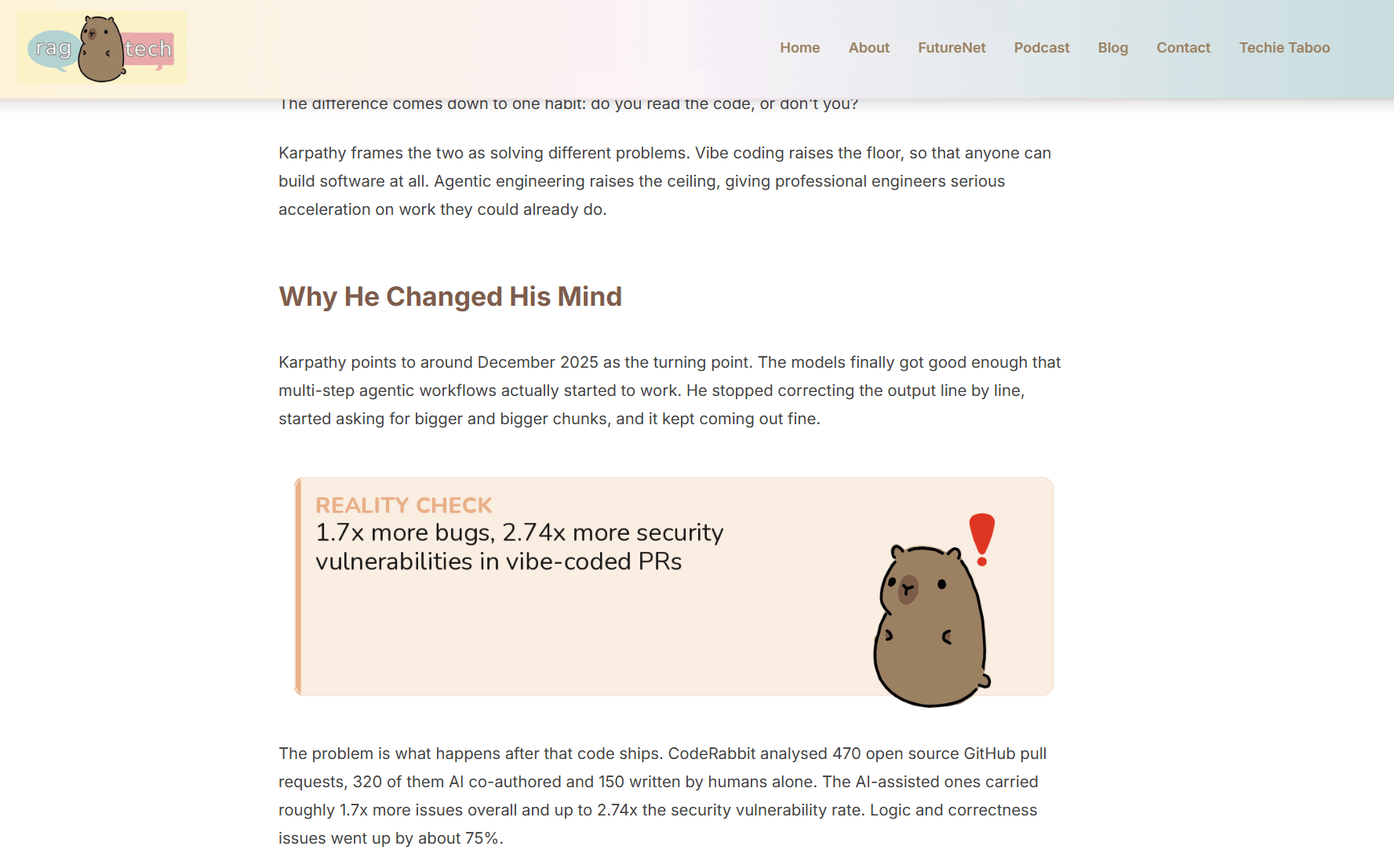
Screenshot of the callout block in one of ragTech's articles! I love how it's so on brand!
The same principle that runs through everything else in this series applies here too: automate the part that is mechanical and repeatable, and be deliberate about where an actual model call is worth it. A callout block does not need one.
Conclusion
3 tools solving 3 different problems but surprisingly all interconnected. The Buffer integration is foundational, it quietly enables everything that involves publishing or scheduling across any of the accounts I manage. The Techybara Comic Generator is the one that has already changed how I approach a recurring content series, right down to the lettering. And the Techybara Callout Tool is the smallest of the three, but it is the clearest example of a rule I keep coming back to: reach for automation before you reach for a model call.
The compounding effect of all of these tools together is starting to feel significant. Each workflow that gets automated makes the next one cheaper to build, because the primitives are already there.
Thanks for reading! I am curious to know your own personal thoughts and experiences on this topic! Feel free to connect, send me an email (my inbox is always open) or let me know in the comments! Cheers!